

<?xml version="1.0" encoding="UTF-8"?>
<rss version="2.0"
	xmlns:content="http://purl.org/rss/1.0/modules/content/"
	xmlns:wfw="http://wellformedweb.org/CommentAPI/"
	xmlns:dc="http://purl.org/dc/elements/1.1/"
	xmlns:atom="http://www.w3.org/2005/Atom"
	xmlns:sy="http://purl.org/rss/1.0/modules/syndication/"
	xmlns:slash="http://purl.org/rss/1.0/modules/slash/"
	>

<channel>
	<title>erova notebook &#187; Documentation</title>
	<atom:link href="http://www.erova.com/blog/index.php/category/ux/documentation/feed/" rel="self" type="application/rss+xml" />
	<link>http://www.erova.com/blog</link>
	<description>a user experience blog by Chris Avore</description>
	<lastBuildDate>Tue, 03 Jan 2012 15:58:05 +0000</lastBuildDate>
	<language>en</language>
	<sy:updatePeriod>hourly</sy:updatePeriod>
	<sy:updateFrequency>1</sy:updateFrequency>
	<generator>http://wordpress.org/?v=3.2.1</generator>
		<item>
		<title>Wrap Up: Design Strategy at UPA-DC</title>
		<link>http://www.erova.com/blog/index.php/2010/10/18/upa_designstrategy/</link>
		<comments>http://www.erova.com/blog/index.php/2010/10/18/upa_designstrategy/#comments</comments>
		<pubDate>Mon, 18 Oct 2010 20:04:19 +0000</pubDate>
		<dc:creator>Chris</dc:creator>
				<category><![CDATA[Design]]></category>
		<category><![CDATA[Design Strategy]]></category>
		<category><![CDATA[Documentation]]></category>
		<category><![CDATA[User Experience]]></category>

		<guid isPermaLink="false">http://www.erova.com/blog/?p=272</guid>
		<description><![CDATA[The Washington DC UPA User Focus conference marked my first speaking opportunity exploring design strategy. Read more about Design Strategy: Aligning Business Goals and User Needs. ]]></description>
			<content:encoded><![CDATA[<p>The Washington DC chapter of the Usability Professionals Association&#8217;s annual User Focus conference marked my first speaking opportunity  exploring design strategy. My presentation, <strong>Design Strategy: Aligning Business Goals and User Needs</strong>, seemed to be received well by designers looking to use their current UX skillset to contribute to strategy creation.</p>
<p>I faced a number of challenges when writing the presentation. With only 40 minutes (including questions and answer time) I struggled with balancing how much to address business strategy, defining design strategy, and how to make the presentation practical and applicable to the audience.</p>
<p>Choosing to keep the presentation about how practitioners could begin creating design strategy using skills and methods already in their UX toolkit, I didn&#8217;t include many examples of how I&#8217;ve successfully used design strategy to understand and articulate what will be built before addressing how it should be built.</p>
<p>After hearing a few of the questions asked by the audience, I&#8217;d probably reconsider a similar approach if and when I present the topic to a different audience. It seems some of the audience thought it was challenging to connect the ideas to real business situations without a case study, which, in hindsight, is understandable.</p>
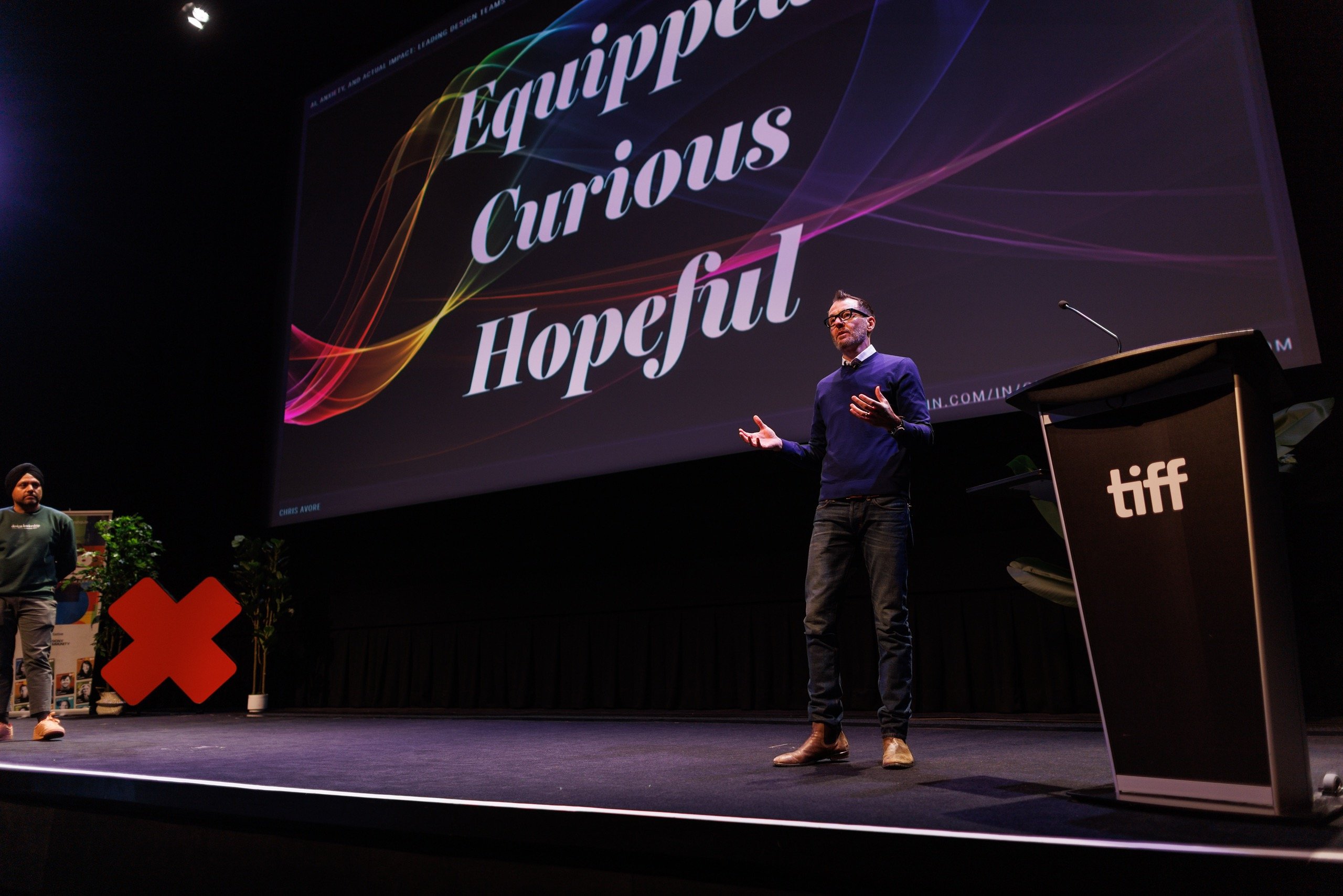
<p>It&#8217;s also clear that though I&#8217;ve facilitated more than a dozen UX Show and Tell workshops and have spoken to audiences of up to 50 people, I still need to continue practicing my delivery and stage presence.</p>
<p>Based on conversations before and after the event, over lunch at the Information Architecture Institute&#8217;s IDEA conference a few weeks earlier, and elsewhere, design strategy and its influence on business strategy is an important topic the UX community must continue exploring.</p>
<p>If I can ask or answer some of those questions during that exploration and share the results, be them positive or negative, I&#8217;m happy to help.</p>
<div id="__ss_5477221" style="width: 425px;"><strong><a title="Design Strategy: Aligning Business Goals and User Needs" href="http://www.slideshare.net/erova/design-strategy-aligning-business-goals-and-user-needs">Design Strategy: Aligning Business Goals and User Needs</a></strong><object id="__sse5477221" classid="clsid:d27cdb6e-ae6d-11cf-96b8-444553540000" width="425" height="355" codebase="http://download.macromedia.com/pub/shockwave/cabs/flash/swflash.cab#version=6,0,40,0"><param name="allowFullScreen" value="true" /><param name="allowScriptAccess" value="always" /><param name="src" value="http://static.slidesharecdn.com/swf/ssplayer2.swf?doc=avoreupaslideshare-101018091544-phpapp02&amp;stripped_title=design-strategy-aligning-business-goals-and-user-needs&amp;userName=erova" /><param name="name" value="__sse5477221" /><param name="allowfullscreen" value="true" /><embed id="__sse5477221" type="application/x-shockwave-flash" width="425" height="355" src="http://static.slidesharecdn.com/swf/ssplayer2.swf?doc=avoreupaslideshare-101018091544-phpapp02&amp;stripped_title=design-strategy-aligning-business-goals-and-user-needs&amp;userName=erova" name="__sse5477221" allowscriptaccess="always" allowfullscreen="true"></embed></object></p>
<div style="padding: 5px 0 12px;">View more <a href="http://www.slideshare.net/">presentations</a> from <a href="http://www.slideshare.net/erova">Chris Avore</a>.</div>
</div>
<p>Big thanks to the programming committee and everyone involved who made the UserFocus conference such a success. It was great to see friends Dan Willis, Kim Bieler, Michelle Marut, Jimmy Chandler, Rob Fay and Ellie O&#8217;Connor in the crowd&#8211;thanks for your support, gang. Special thanks to Lynne Polischuik and Chris Palle for offering to help, and to Lis Hubert and David Panarelli for reviewing my presentation and offering fantastic feedback.</p>
]]></content:encoded>
			<wfw:commentRss>http://www.erova.com/blog/index.php/2010/10/18/upa_designstrategy/feed/</wfw:commentRss>
		<slash:comments>0</slash:comments>
		</item>
		<item>
		<title>(re)Design Strategy in Practice: An Adaptive Path Roadmap Revisited</title>
		<link>http://www.erova.com/blog/index.php/2010/07/12/design-strategy-as-bridge-foundation-to-implementation/</link>
		<comments>http://www.erova.com/blog/index.php/2010/07/12/design-strategy-as-bridge-foundation-to-implementation/#comments</comments>
		<pubDate>Mon, 12 Jul 2010 16:33:23 +0000</pubDate>
		<dc:creator>Chris</dc:creator>
				<category><![CDATA[Design]]></category>
		<category><![CDATA[Documentation]]></category>
		<category><![CDATA[Information Architecture]]></category>

		<guid isPermaLink="false">http://www.erova.com/blog/?p=248</guid>
		<description><![CDATA[Design strategy can bridge the gulf between design, implementation, and the stakeholder. Read about my additions to Adaptive Path's Chiara Fox Ogan's roadmap diagram illustrating design through development. ]]></description>
			<content:encoded><![CDATA[<p><a href="http://www.adaptivepath.com/aboutus/chiara.php">Chiara Fox Ogan</a> of <a href="http://www.adaptivepath.com/">Adaptive Path</a> writes “there is a lack of clarity around what tasks and events go into making an implementation successful” in her recent post “<a href="http://www.adaptivepath.com/blog/2010/07/08/strategy-but-wait-theres-more/">Strategy &amp; Design; But Wait, There’s More</a>”. To bring light to the processes and milestones in a typical design effort, Chiara provides a high-level process flow identifying significant milestones and where the primary strategy &amp; design tasks drop off and implementation work begins.</p>
<p>After reading her post and the accompanying diagram, I wanted to add my own thoughts as to how design strategy could act not only as a bridge to implementation, but also a foundation supporting it as well. Essentially, I&#8217;ve front-loaded Chiara&#8217;s diagram with more tasks to understand why and what to build, and some activities post-launch to measure results of the redesign effort over time.  I&#8217;ve found such steps increase alignment and clarity among design and implementation teams and ultimately increases the likelihood of a successful product or service.</p>
<hr noshade size="1"/>
<p><a href="http://www.erova.com/blog/wp-content/uploads/2010/07/erova_ap_flow.pdf">Revised Redesign and Implementation Roadmap</a> [PDF 100kb]<br />
<em>(remarks in blue are by me and completely independent of Adaptive Path)</em></p>
<p>Summary:</p>
<ul>
<li>baseline metrics of current state</li>
<li>identify key business needs</li>
<li>define success criteria &amp; primary design objectives</li>
<li>conduct a competitive analysis before a feature/value analysis</li>
<li>keep the product or service&#8217;s roadmap &amp; vision at top of mind</li>
<li>compare post-launch metrics to baseline statistics</li>
<li>consider unexpected use or feedback to inform roadmap</li>
</ul>
<hr noshade size="1"/>
First, I should briefly add I have no inside knowledge of the scope of the Adaptive Path document; I’m not saying it’s missing anything. Rather, I’m simply adding onto the diagram based on my experience with successful multi-release or multi-redesign projects.</p>
<p>My additions to the AP flow call out the business problems the redesign should address, what should be built to answer those problems, how to adhere to that plan through implementation, and how to know if the design is successful after launch.</p>
<p>Even at a high level, we can see how referencing primary design objectives and prioritized business needs can add focus to a problem space apt to be derailed by the usual suspects (feature creep, reprioritization of resources, etc).</p>
<h3>Baseline the Current State</h3>
<p>As we delve into closer inspection of my additions to the document, we can also understand what informs those primary design objectives and the key business needs. For instance, prior to the strategy and design phase where AP begins the discovery effort, I emphasize the importance of baselining the current state prior to the redesign. These numbers will provide the foundation to know where we are today so we can ultimately measure how far we’ve come after launch, and with subsequent releases.</p>
<h3>Roadmap &amp; Vision</h3>
<p>This early stage is also an opportunity to engage other stakeholders to provide their input into the key business needs that will support the entire project. While fleshing out the business needs, now is also useful to begin formulating the product or service’s roadmap of where it should be years or versions down the road. If the redesign is already adhering to an earlier roadmap or vision, confirm the business needs under discussion are still in alignment with the vision, which ideally should be the case. It’s also useful to compare the baseline metrics in the context of the roadmap to determine what to improve or what has worked well since release. I should also reiterate I certainly believe AP helps its clients understand business value, draft product roadmaps, and analyzes numerous data before recommending solutions to its clients, but in this case I’m simply adding it to the process flow here.</p>
<h3>Primary Design Objectives</h3>
<p>Moving left to right, I attach my Competitive Analysis block to the AP Discovery block as it’s possible the competitive or market analysis is assumed to fall here. Regardless, the discovery phase, including a comprehensive competitive analysis, should lead to a identifying the primary design objectives (a more tactical summary of what the new design should accomplish based on the key business needs).</p>
<p>The primary design objectives then inform the feature/value analysis, which pegs each piece of significant functionality to a key business need and design objective (and often assigns a priority/demand rank and another representing technical effort or complexity). For instance, if a key business need is to reduce employee distraction at work, creating a new Foursquare-like badge system across the Intranet probably isn’t useful. However, if a key business need is to foster employee camaraderie and to encourage participation in Intranet tasks, then a badge system may in fact drive business value.</p>
<h3>Feature/Value Analysis</h3>
<p>The feature/value analysis helps the business, design team, and developers agree what will be built before diving into wireframes, prototypes, or even screen description diagrams. It also can prioritize what needs to be dropped off or de-scoped if necessary, or what else to develop if the team finds unexpected bandwidth.</p>
<p>With the baseline metrics in hand and an overall understanding of what will be built based on the feature/value analysis, the team can identify specific success criteria as the project moves primarily into the tactical design phase. Success criteria help train the team to understand the big picture of how to reach success with specific targets, milestones, or concepts. Keeping the goals specific maintains that strategic focus from one step to the next, and defining how success will be measured keeps everyone aligned, stakeholders included, into what everyone is marching toward.</p>
<h3>During Implementation</h3>
<p>As the Adaptive Path flow accurately depicts, there is still plenty of opportunity to self-check the implementation effort isn’t drifting from the overall design strategy. For example, as rounds of usability testing conclude, the design strategy is a useful guide to confirming you’re not making knee-jerk reactions to test-participant suggestions, as helpful as they may first appear. Of course, I’m not suggesting such a design strategy is rigid and static, but it’s also easy to allow usability test results open a Pandora’s box of unscoped, unprioritized work.</p>
<h3>Post-Launch Review</h3>
<p>The only other significant addition to Chiara’s diagram is at the conclusion of the process. Rather than end the flow at launch and editorial clean up, I added a few important tasks that again, I’m sure AP practices on every project but are important to see in the context of the entire redesign/implementation undertaking. Specifically, I recommend comparing the redesign’s metrics and KPIs to the original baseline statistics. While it’s important to fully understand the integrity of the numbers and the nuances that could be in play (such as was there a media campaign or new product launched that would also drive more traffic to the site or service), these figures can usually indicate whether your efforts have been successful, particularly by measuring regularly over time.</p>
<p>It’s also important to note any outlying, unexpected, or unusual statistics that could indicate whether or not you should consider adjustments to future releases in your roadmap. If the way the product or service is unexpectedly being used supports the overall design strategy and business objectives, there may be value in paving those cowpaths.</p>
<p>Remember, for the most part, creating and maintaining the design strategy is a participatory effort—it’s not, nor should it be, the work of a few thinkers without an awareness of the step by step tactical efforts to proceed through a plan. Even in situations when the strategy &amp; design team completes its pre-implementation work and moves on, a concise, focused strategy supports future development efforts by providing reference points and primary objectives to measure against.  As a result, the design strategy keeps the project out of, as Chiara describes, the “murky wilderness, with unknown snares and dangers the client is left to navigate on their own”.</p>
<p><a href="http://www.erova.com/blog/wp-content/uploads/2010/07/erova_ap_flow.pdf">Revised Redesign and Implementation Roadmap</a> [PDF 100kb]<br />
(remarks in blue are by me and completely independent of Adaptive Path)</p>
]]></content:encoded>
			<wfw:commentRss>http://www.erova.com/blog/index.php/2010/07/12/design-strategy-as-bridge-foundation-to-implementation/feed/</wfw:commentRss>
		<slash:comments>0</slash:comments>
		</item>
		<item>
		<title>UX Show and Tell Wrap-Up</title>
		<link>http://www.erova.com/blog/index.php/2009/10/02/ux-show-and-tell-wrap-up/</link>
		<comments>http://www.erova.com/blog/index.php/2009/10/02/ux-show-and-tell-wrap-up/#comments</comments>
		<pubDate>Fri, 02 Oct 2009 13:35:43 +0000</pubDate>
		<dc:creator>Chris</dc:creator>
				<category><![CDATA[Documentation]]></category>
		<category><![CDATA[General]]></category>
		<category><![CDATA[User Experience]]></category>
		<category><![CDATA[UX Show and Tell]]></category>

		<guid isPermaLink="false">http://www.erova.com/blog/?p=202</guid>
		<description><![CDATA[The first UX Show and Tell was a success and can only get better. Read my wrap-up and see what you missed, and learn more about the free user experience workshop that's all about the work. ]]></description>
			<content:encoded><![CDATA[<p>Earlier this week, seven designers and information architects from Maryland, Washington DC, and Virginia met at <a title="Apt Media" href="http://aptmediainc.com">Apt Media</a> in Silver Spring for the first <a title="UX Show and Tell" href="http://uxshowandtell.com">UX Show and Tell</a> workshop.</p>
<p>UX Show and Tell is an informal workshop that&#8217;s all about the work, where designers can share feedback and ideas on strategies, outcomes, and deliverables, and meet other practitioners in a focused but relaxed environment.</p>
<p><img class="size-full wp-image-207 alignleft" title="UX Show and Tell: September 2009" src="http://www.erova.com/blog/wp-content/uploads/2009/10/ux_sept1.jpg" alt="UX Show and Tell: September 2009" width="320" height="186" /></p>
<p>Show and Tell participants brought a number of unique deliverables, such as concept maps and task models of complex web sites,  a process chart detailing how, where and when to integrate UX in an Agile software development lifecycle, and interface design mockups of a scheduling application.</p>
<p>I started the workshop sharing a deck of documents I used to provide visual conclusions from a number of user interviews and observations I conducted for the Library of Congress.  As user research continues to grow in recognition and importance, I thought there could be some value to *showing* how users behave rather than simply describing behavior in a Word or Powerpoint report.</p>
<blockquote><p>&#8230;participants should be able to share specific solutions if they’re aware of the problems in advance&#8230;</p></blockquote>
<p>I was hoping that the group would bear with me since it was the first workshop.  And not surprisingly, there were bumps in the road, from logistical issues such as starting on time to ordering food, to procedural hiccups such as how and when questions should be asked so as not to derail or sidetrack a presentation.</p>
<p>Fortunately, I&#8217;ve already begun incorporating participant feedback into future Show and Tell workshops.</p>
<p>For instance,  I&#8217;ll ask participants to identify what they&#8217;d like to share or problems they need to address during the RSVP process so other participants may be able to help. While I don&#8217;t want to see the workshop be so targeted that one session will only be dedicated to wireframes or another exclusively committed to persona documentation, participants should be able to share specific solutions if they&#8217;re aware of the problems in advance.</p>
<blockquote><p>By identifying an issue first, the group can provide more direct, concise feedback.</p></blockquote>
<p>Moving forward, the workshop will also run more smoothly if each participant quickly says what they&#8217;re sharing and what issue they&#8217;re having or where they&#8217;re looking for feedback.  During the first session, a few conversations began to wander off course when feedback that was meant to be helpful wasn&#8217;t entirely appropriate to the project or the project&#8217;s audience. By identifying an issue first, the group can provide more direct, concise feedback.</p>
<p>I also see the benefit to posting what was presented on a wall or whiteboard so the group can take a closer look at the documents. The photograph above shows how a number of deliverables were spread out on a conference table which certainly worked, but won&#8217;t scale well or support electronic presentations without a projector.</p>
<blockquote><p>If your organization would like to host a UX Show and Tell, it&#8217;s really easy.</p></blockquote>
<p>At the suggestion of one of the participants, I created a Google spreadsheet to list who attended with contact information to help expand each other&#8217;s network of practitioners in the area, many of whom had never met before.</p>
<p>I&#8217;m already discussing new locations to host workshops, both in the immediate DC area and beyond. If your organization would like to host a UX Show and Tell, it&#8217;s really easy.  Just have space for about 8 to 10 people, a table and chairs, and now a whiteboard, and we&#8217;ll set up a date.</p>
]]></content:encoded>
			<wfw:commentRss>http://www.erova.com/blog/index.php/2009/10/02/ux-show-and-tell-wrap-up/feed/</wfw:commentRss>
		<slash:comments>4</slash:comments>
		</item>
		<item>
		<title>User Centered Design in Task-Focused Web Interfaces</title>
		<link>http://www.erova.com/blog/index.php/2009/01/04/user-centered-design-in-task-focused-web-interfaces/</link>
		<comments>http://www.erova.com/blog/index.php/2009/01/04/user-centered-design-in-task-focused-web-interfaces/#comments</comments>
		<pubDate>Sun, 04 Jan 2009 16:37:31 +0000</pubDate>
		<dc:creator>Chris</dc:creator>
				<category><![CDATA[Design]]></category>
		<category><![CDATA[Documentation]]></category>
		<category><![CDATA[Usability]]></category>
		<category><![CDATA[User Experience]]></category>

		<guid isPermaLink="false">http://www.erova.com/blog/?p=53</guid>
		<description><![CDATA[How can User Centered Design principles exist within an Agile development environment? 
I researched how user experience consultants must provide value as waterfall methodologies dry up and timelines become more aggressive.]]></description>
			<content:encoded><![CDATA[<p><em>The following is the abstract of my research paper in UMBC&#8217;s Information Systems Fall 2007 class <strong>Human-Computer Interaction</strong>.  <a title="IS760 Research Paper" href="http://erova.com/downloads/UCD_TaskFocused_WebInterfaces.pdf">Click to view the document in its entirety</a>.</em></p>
<p>Recently much has been written in academic and practitioner circles regarding how user-centered design should play a fundamental role in the development of software, web sites, and web applications.</p>
<p>However, UCD principles have yet to reach many development methodologies of today, such as agile programming, leaving the user experience of many task-based web sites under-acknowledged.</p>
<p>This paper provides a case study examining how user-centered design methods identify, design, and deliver the optimal user experience from the start to finish of a goal in an agile development<br />
environment, and why these practices are imperative as we see a paradigm shift from<br />
static information-based web sites to engaging task-based web systems.</p>
<p><em><a title="IS760 Research Paper" href="http://erova.com/downloads/UCD_TaskFocused_WebInterfaces.pdf">Download the full document</a>.</em></p>
]]></content:encoded>
			<wfw:commentRss>http://www.erova.com/blog/index.php/2009/01/04/user-centered-design-in-task-focused-web-interfaces/feed/</wfw:commentRss>
		<slash:comments>2</slash:comments>
		</item>
	</channel>
</rss>